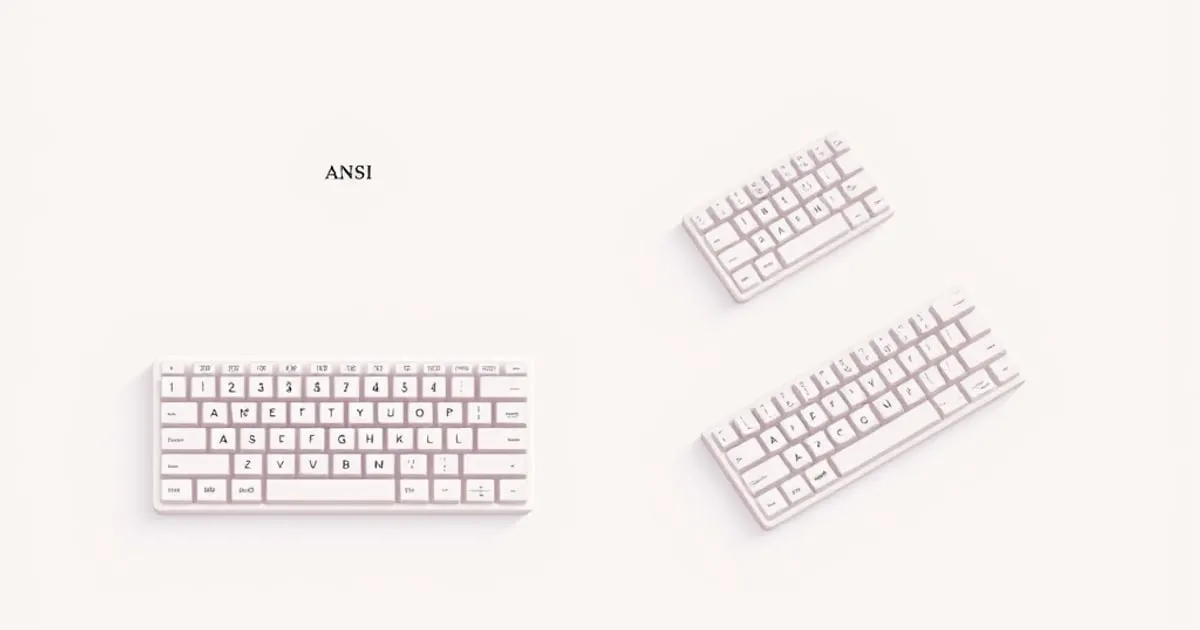
ANSI vs ISO vs JIS Keyboard Layouts: Which One to Buy
The three physical keyboard standards explained — what differs between ANSI, ISO, and JIS, how the choice affects keycaps and typing, and the reasoned pick.
Once you have decided on a form factor and a switch, there is a third decision most buyers overlook until the box arrives: the physical layout standard. ANSI, ISO, and JIS are the three competing standards that define the shape and number of keys, and the choice quietly determines which keycaps will fit, which characters are easy to type, and whether the keyboard feels native to the language you actually use. This guide explains the real differences and offers a reasoned pick.
What the three standards actually are
The three physical layouts are international standards, not styling choices. The umbrella standard is ISO/IEC 9995, which has defined principles for computer keyboard layouts since 1985 and is now in its 2026 revision; it specifies physical organization, character input levels, key arrangements, and dead-key functionality across multiple national configurations (Wikipedia — ISO/IEC 9995 ↗).
Within and alongside that umbrella, three physical layouts dominate the consumer market:
- ANSI — the American national standard, used across North America and as the default for most enthusiast and gaming keyboards worldwide. Per Wikipedia, “The U.S. national standard keyboard has 104 keys” on a full-size board (Wikipedia — Keyboard layout ↗).
- ISO — the layout used across most of Europe and many other countries. The same source notes that “PC keyboards for most other countries have 105 keys” — one more than ANSI, occupying the bottom-row position to the right of the left Shift.
- JIS — the Japanese standard, defined by JIS X 6002-1980. JIS layouts typically include 112 keys on full-size models, with several additional keys for Japanese input modes (Wikipedia — JIS keyboard ↗).
Choosing between them is not about prestige; it is about which physical arrangement matches the characters and modifiers you actually use.
The visible physical differences
The three standards differ in a handful of specific, easy-to-spot ways. Knowing them lets you identify any keyboard at a glance and predict which keycap sets will fit.
Enter key shape
The single most visible difference is the Enter key. ANSI uses a wide horizontal bar that occupies one row. ISO, in Wikipedia’s words, has an Enter key that is “vertical rather than horizontal” — a tall L-shape that spans two rows (Wikipedia — Keyboard layout ↗). JIS uses an ISO-style vertical Enter, slightly different in proportion. From across a desk, the Enter shape tells you which standard a board is built to before you read any spec sheet.
Left Shift width and the 105th key
ANSI has a single wide left Shift. ISO breaks the left Shift into a narrower Shift plus an extra key to its right — Wikipedia notes that on ISO “the left shift key is smaller, to make room for an additional key to its right” (Wikipedia — Keyboard layout ↗). That extra key holds layout-specific characters like < > on UK, < > | on German, or other regional symbols. It is the entire reason ISO has one more key than ANSI.
Space bar and the right side
JIS reorganizes the bottom row more aggressively. The Wikipedia caption is direct: on JIS “the right-hand shift key is smaller. Furthermore, the space bar and backspace key are also smaller, to make room for four additional keys” (Wikipedia — Keyboard layout ↗). Those keys handle input-method switching between Japanese kana, Latin, and other modes — essential for Japanese typing and largely useless for anything else.
What each layout is actually good for
ANSI: the default for enthusiasts
If you type primarily in English, ANSI is the most practical choice for one mundane reason: the keycap ecosystem. Aftermarket keycap sets are designed for ANSI first; ISO and JIS support is an add-on, sometimes a paid extra, and frequently incomplete. Anyone planning to swap keycaps — which is most of the point of a hot-swap board, as we cover in the hot-swap buying guide — will hit fewer compatibility walls on ANSI than on ISO or JIS.
ANSI’s wide horizontal Enter and full-width left Shift are also the assumption baked into most enthusiast custom keyboards and most of the form factors we cover.
ISO: the right choice for European typing
For typists writing in languages with characters outside ASCII — German, French, Spanish, Polish, Nordic languages, and many others — ISO is the better fit. The 105th key beside the left Shift holds a useful character in each regional ISO variant, and the AltGr key on the right side of the space bar provides direct access to accented and special characters via the upper levels defined by ISO/IEC 9995. Forcing yourself onto an ANSI board in a non-English language usually means leaning on dead-key workarounds, OS-level layout switches, or memorizing alt-codes — all of which are slower than a native ISO keyboard.
The trade-off is keycap availability. Premium aftermarket sets often ship ANSI-only or charge extra for an ISO kit, and the kit may not include every legend you want.
JIS: only for Japanese typing
JIS is specialized. The extra keys around the space bar exist to switch input modes between Japanese kana, Latin, and other writing systems, and they are essential for fluent Japanese input on the operating system. If you do not write in Japanese, JIS is a worse ANSI — the layout’s compromises only pay off in the use case they were designed for.
How layout interacts with the rest of the buying decision
Layout is not an isolated choice. It pulls on three other decisions:
- Keycaps. A custom keycap set you love may simply not exist in ISO or JIS, or may be available only as an incomplete partial. Stabilizers and keycaps covers what to look for in a quality set; layout compatibility is the first filter.
- Form factor. Some compact form factors — particularly 60% and 65% — were designed around ANSI and have awkward or unsupported ISO variants. The form factors guide covers the size trade-offs; layout availability is one of them.
- OS keyboard setting. The physical layout must match the OS keyboard setting, or the characters on the keycaps will not match what you type. An ANSI board with the OS set to ISO produces a frustrating mismatch on at least the
\,#,@, and"keys. This is the most common self-inflicted layout problem.
How we weight these criteria
In line with our ranking methodology, layout is weighted differently depending on what you actually type:
- Native language fit is the single heaviest criterion. The right layout for the language you use is worth more than any spec.
- Keycap ecosystem compatibility is next, because layout silently constrains your future customization options for the life of the board.
- OS layout match is a hard prerequisite, not a weighted criterion — get it wrong and the board is unusable.
- Aesthetics of the Enter key shape is real preference but we do not weight it. Either standard works fine ergonomically.
A reasoned approach to choosing
- Default to ANSI if you type primarily in English and want the broadest keycap and custom-keyboard support.
- Choose ISO if you type regularly in a European language that needs the 105th key or AltGr-level characters, and accept slightly narrower aftermarket keycap support.
- Choose JIS only if you type in Japanese, where the extra input-mode keys are essential and the trade-offs pay off.
- Match your OS keyboard setting to the physical layout you buy, so what you press is what you get.
- Verify keycap availability for your chosen layout before committing, especially on 60% and 65% boards where ISO variants can be scarce.
Common mistakes when picking a layout
- Choosing ISO for the aesthetic of the tall Enter key. The vertical Enter looks distinctive, but if you are an English typist you are paying a permanent keycap-compatibility tax for a visual preference.
- Buying ANSI in a non-English country out of habit. If you write in German, French, or Spanish daily, ISO with the right regional variant is genuinely faster.
- Importing a JIS board for the aesthetics. Without Japanese input, the extra keys are dead weight and the smaller space bar is a daily annoyance.
- Forgetting to change the OS layout. Every character that does not match its keycap is the OS layout disagreeing with the physical board. Set the OS to match before troubleshooting anything else.
The honest bottom line
ANSI, ISO, and JIS are not competing for the same buyer — each is the right answer for a different language and customization profile. Choose the layout your daily writing actually needs, match the OS setting to it, confirm keycap support before you buy, and the layout question disappears into the background where it belongs.
Sources
Related
65% vs 75% Keyboards: Which Compact Layout to Pick
A focused look at the two most popular compact layouts — what 65% and 75% each keep, who each suits, and the reasoned criteria for choosing between them.

Keyboard Form Factors: Full-Size, TKL, 75%, 65%, and 60% Compared
How keyboard sizes actually differ — what keys you keep or lose at each layout, and how to choose between full-size, TKL, 75%, 65%, and 60% for your desk and workflow.

Best Mechanical Keyboard Under $100 in 2026: Four Picks That Actually Hold Up
The best mechanical keyboard under 100 2026 doesn't require compromise anymore. Gasket mounts, hot-swap sockets, and QMK firmware now land well below $100. Here's what to buy and why.