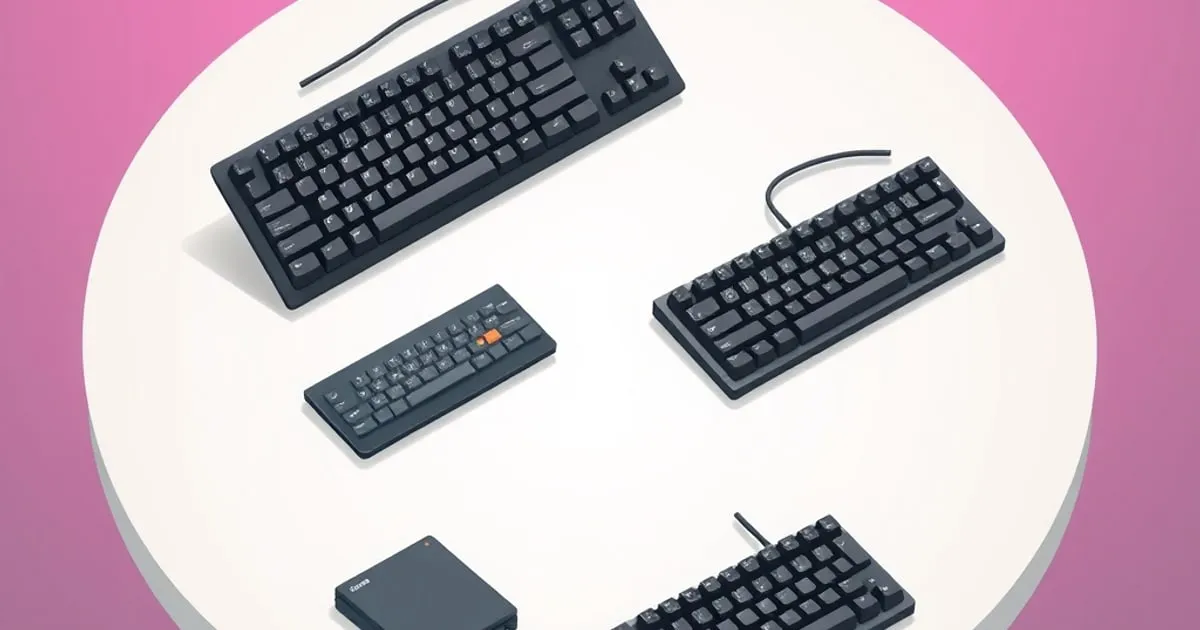
Best Quiet Mechanical Keyboards for the Office
How to pick a mechanical keyboard that is pleasant in a shared workspace — switches, dampening, stabilizers, and the reasoned criteria behind quiet-board recommendations.
A mechanical keyboard in a shared office is a social decision as much as a personal one. The board that delights you can quietly irritate everyone within earshot, and a keyboard that gets you side-eye on calls is not a good keyboard no matter how it feels to type on. The goal for an office board is a satisfying typing experience that does not impose itself on the room. This guide explains the criteria that actually achieve that.
What actually matters for a quiet office board
Switch family is the first decision
Sound starts at the switch, and the family matters more than any other single factor:
- Clicky switches are loud by design — the click is a deliberate, separate mechanism. In a shared space they are almost always the wrong choice, regardless of how much you personally enjoy them.
- Linear switches are the quietest family. Without a tactile bump or click mechanism, the dominant sound is the keycap bottoming out, which can be softened further.
- Tactile switches sit in between. A well-made tactile can be office-acceptable, but louder, “clackier” tactiles can carry across a room.
For most offices, a quieter linear (or a deliberately quiet “silent” linear with built-in dampening) is the safest starting point. Our switch types guide explains the families and why preference still matters within them.
The board’s acoustics, not just the switch
Two boards with identical switches can sound completely different because of how the case is built. Internal foam, a dampened mounting style, and a case that does not act like a hollow drum all lower and soften the sound. When evaluating an office board, look specifically for reviews that describe the sound as “muted,” “soft,” or “low-pitched” rather than “hollow” or “pingy.” A board’s acoustic design is doing as much work as the switch.
Stabilizers decide whether it sounds cheap
The single most common office-disrupting noise is not the switches at all — it is a rattly space bar. Long keys with poorly tuned stabilizers produce a sharp, hollow rattle that carries far more than well-damped keystrokes. A board with factory-tuned, non-rattly stabilizers will sound composed; one without will sound cheap no matter how quiet the switches are. This is exactly why we treat stabilizers and keycaps as the upgrades that change a board most, and it is doubly true for quiet use.
Keycap material affects pitch
Keycap plastic has a real, if smaller, effect on sound. Thicker keycaps in a denser plastic tend to produce a lower, less plasticky sound than thin, hollow caps. It will not transform a loud board into a silent one, but on an already-quiet board it is a meaningful refinement.
It still has to be a good keyboard
Quiet is necessary but not sufficient. An office board still needs to be comfortable for a full workday, have a sane layout, and offer local remapping if you customize. Most office workers do not need a number pad, so a TKL or 65% layout keeps the desk tidy and the mouse close — see our form factors guide.
How we weight these criteria for the office
For a quiet-office recommendation, the weighting is intentional and stated, following our broader ranking methodology:
- Sound discipline carries by far the most weight here. It is the entire reason this category exists, so a board that is loud is disqualified before anything else is considered.
- Stabilizer tuning is weighted heavily, because rattle is the noise most likely to actually bother colleagues.
- All-day comfort and layout matter next, since an office board is used for long, uninterrupted stretches.
- Switch family is explained and the quiet options are highlighted, but feel within the quiet options remains personal — a hot-swap board lets you tune it.
A reasoned approach to choosing
- Start with a quiet switch family — a quieter linear or a purpose-built silent switch — and avoid clicky entirely in shared spaces.
- Prioritize acoustic design: look for dampening, a non-hollow case, and reviews that describe a muted, low sound.
- Demand well-tuned stabilizers, because a rattly space bar undoes everything else.
- Pick a compact layout (TKL or 65%) for a tidy desk and a closer mouse.
- Confirm it is still a good board — comfortable, sensible layout, local remapping if you need it.
Common mistakes when buying a quiet office board
A few errors account for most of the boards that end up annoying a workspace:
- Assuming “silent” switches make any board quiet. Silent switches dampen the switch itself, but a hollow case and rattly stabilizers will still carry across a room. The whole board has to be quiet, not just the switch.
- Picking tactile because it is “quieter than clicky.” Some tactile switches are loud and clacky despite having no click mechanism. “Not clicky” is not the same as “quiet” — judge the specific switch, not the family label.
- Buying clicky for home and assuming it is fine. A clicky board near a partner on calls, a roommate, or a sleeping household is a recurring source of friction. Clicky is a private-room indulgence, not a default.
- Ignoring the space bar. The single noise most likely to draw attention is a rattly space bar, not the alpha keys. A board with poor stock stabilizers sounds cheap and disruptive no matter how quiet the switches are.
- Forgetting it still has to be a good keyboard. A quiet board that is uncomfortable for eight hours or has an awkward layout is a bad office board. Quiet is a requirement layered on top of the fundamentals, not a replacement for them.
Avoiding these comes down to evaluating the whole board acoustically and against the room, rather than trusting a single reassuring word on the box.
The honest bottom line
The best office keyboard is one that satisfies you and goes unnoticed by everyone else. That comes from a quiet switch, an acoustically considered case, and properly tuned stabilizers — far more than from any single headline spec. Choose for the room as well as for your hands, and you get a board that is a pleasure to type on and never the reason someone glances over.
Related

Best Mechanical Keyboards for Gaming: What Matters
Which gaming keyboard features are real advantages and which are marketing — switches, polling, connection, and layout — with the reasoned criteria we rank by.
Best Mechanical Keyboards for Programmers: How to Choose
What actually matters in a programming keyboard — layout, switch feel, modifier reach, and software — plus the reasoned criteria we use to recommend boards for coding.

Best Mechanical Keyboards for Writers and Long-Form Typing
What a writing keyboard needs that a gaming one doesn't — comfort over hours, sound, key feel, and layout — and the reasoned criteria behind our recommendations.